How to Find and Read a Website's robots.txt
Find robots.txt at a website root, fetch and save the file, read User-agent, Allow, Disallow and Sitemap, and distinguish crawling from indexing.

Like it ? share it
A site's robots.txt lives at the root of its host, such as https://www.enfect.com/robots.txt. It tells cooperating crawlers which paths they may fetch. You can open the file in a browser or read it with FetchRobotstxt.
Running a few hobby sites in my spare time, I have found that keeping track of crawlers can feel like herding cats. Reading the actual file is a useful first check when a crawler behaves differently from what you expected.
Find the right file
Take the site's scheme and host, then add /robots.txt. For a page at https://example.com/blog/article, the file is at https://example.com/robots.txt, not inside the article directory.
Hosts and schemes matter. www.example.com and example.com can serve different files, as can HTTP and HTTPS. Inspect the version that corresponds to the URLs you are troubleshooting.
To use the tool:
- Open the robots.txt reader.
- Enter a complete address, such as
https://www.enfect.com/. - Select FETCH ROBOTS.TXT.
- Read the returned text, then use COPY or DOWNLOAD to keep a copy for comparison.
The tool constructs the root robots.txt address from your input and follows redirects when fetching it. It shows the file and its line and character counts. It does not automatically decide whether an arbitrary page URL matches a crawler's rules.
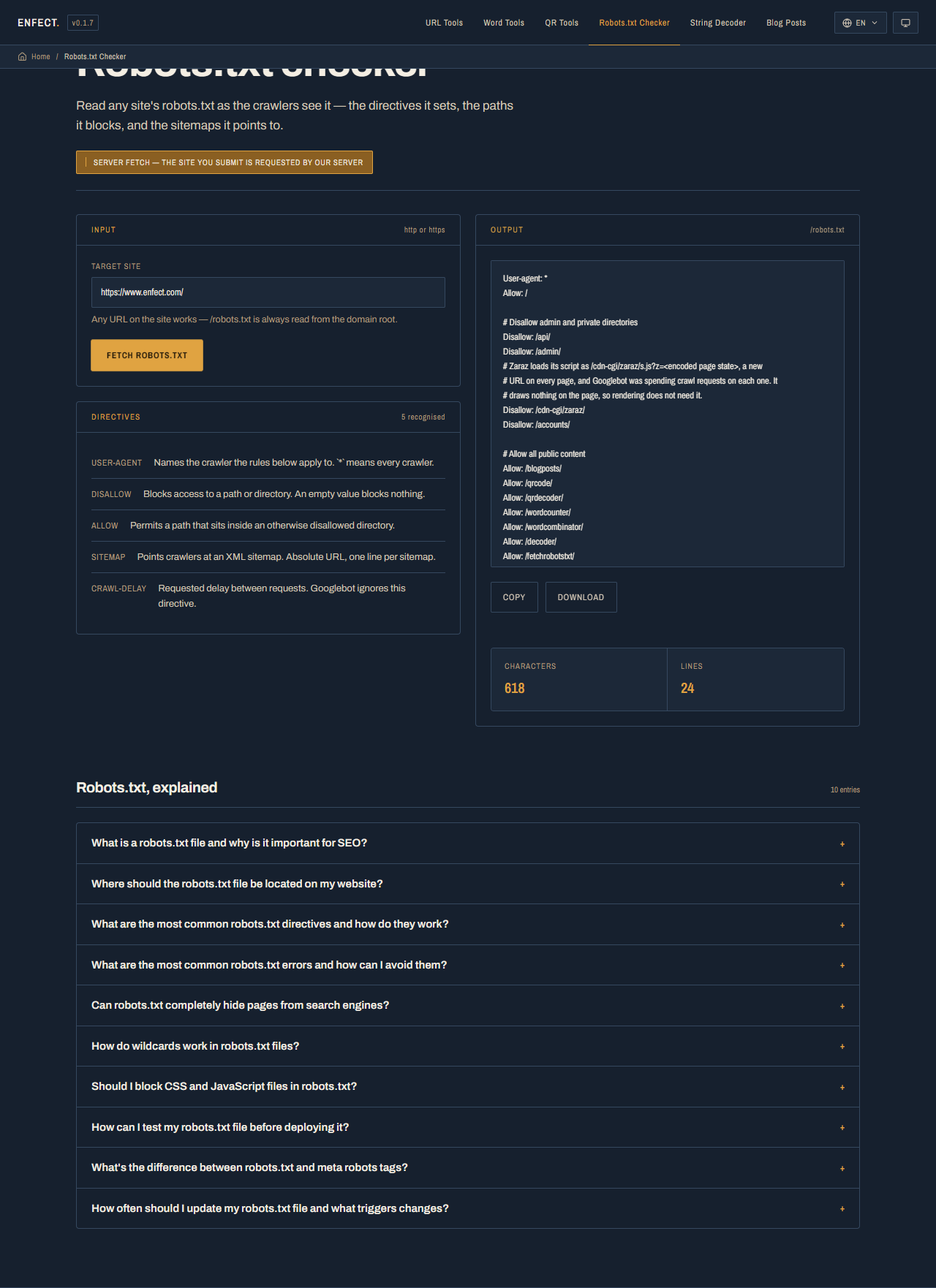
This screenshot was captured from the live tool on October 8, 2026. A site's file can change; fetch it again when investigating a current problem.
Read the directives
Here is a fictional example to practise with, rather than a claim about Enfect's current rules:
User-agent: *
Disallow: /private/
Allow: /private/help.html

Sitemap: https://example.com/sitemap.xml| Directive | Meaning in this example |
|---|---|
User-agent: * |
This group applies to crawlers without a more specific matching group |
Disallow: /private/ |
Requests crawlers in this group to avoid that path |
Allow: /private/help.html |
Allows this more specific path within the otherwise blocked directory |
Sitemap: |
Gives the absolute address of a sitemap |
For Google, a more specific matching user-agent group takes precedence over the wildcard group. Within the selected rules, the most specific matching path wins; an equally specific Allow takes precedence over Disallow. Path matching is case sensitive. See how Google interprets robots.txt before applying a rule to a complicated URL.
Do not read a Disallow line in isolation. First identify the crawler's group, then check the URL path against that group's Allow and Disallow rules. Other crawlers can support different extensions or choose not to cooperate.
If the file cannot be fetched
| Outcome | What you know | Next check |
|---|---|---|
| File text returned | This request fetched a file | Read its rules and confirm you used the intended host |
404 |
There was no robots.txt at that address | Check the host and path; Google generally treats a missing file as having no crawl restrictions |
403 |
This request was refused | Compare a direct browser request and inspect firewall or access settings |
| Server error or timeout | The file could not be retrieved in this attempt | Retry and investigate the server or network |
The tool's error describes its own request. It does not prove that Googlebot received the same response. Google handles most 4xx robots.txt responses differently from 429, server errors and network failures; the official response-handling rules explain those distinctions.
Crawling, indexing and access are different checks
Robots.txt controls crawling. A blocked URL can still appear in Google if other pages link to it. Allowing a crawl also does not guarantee indexing. Google's robots.txt introduction explains both limits.
To keep a page out of search results, use a supported noindex directive in the page or HTTP response header and allow Google to fetch it so the directive can be read. Do not put noindex in robots.txt. For the full diagnosis, see why a page blocked by robots.txt can still be indexed.
Sensitive content needs authentication or another access control. Robots.txt is public, and a listed private path is still visible to anyone reading the file.
If you are investigating a sitemap address found in the file, continue with the sitemap audit guide. For crawler load or repeated fetch errors, compare the file with your server logs; the text alone cannot show how often a bot visited.