Googlebot Blocked by robots.txt, Page Indexed Anyway: The Two Rules That Cancel Each Other
Search Console shows two different rows for robots.txt, and only one of them is a problem. Why a blocked page still gets indexed, and why the fix is to unblock it.
Like it ? share it
Search Console has two rows that read almost identically and mean opposite things.
Blocked by robots.txt. Google saw your rule and obeyed it. The page was not crawled, and it is not in the index. Nothing is broken.
Indexed, though blocked by robots.txt. Google put the URL in the index without ever fetching the page. It has the address and whatever anchor text pointed at it, and nothing else. That is why those results usually appear with no description under the link.
The second one is the row that generates panic, and the reason it happens is a single sentence most write-ups skip.
robots.txt says "don't crawl", not "don't index"
A Disallow line controls fetching. That is the whole of it. It does not control what appears in the index, and Google has never claimed it does.
A commenter in r/bigseo put it more plainly than most documentation manages:
Robots.txt = 'Don't Crawl', Not 'Don't Index'. All Google needs is a link from an internal or external source to index (not crawl) the page regardless of what the robots.txt says.
So if any link anywhere points at a blocked URL, Google can learn the URL exists, decide it looks worth listing, and index it on the strength of the link alone. No fetch required. No robots.txt violation either, because robots.txt was never the instruction that would have stopped it.
This is why "googlebot blocked by robots.txt" and "not in Google" are two separate states, and why you can be in the first without being in the second.
The trap: noindex and a disallow cancel each other out
Here is the part that catches experienced people.
You have a page you want out of the index. You do the sensible thing twice: you put a noindex meta tag on the page, and you block the path in robots.txt. Belt and braces.
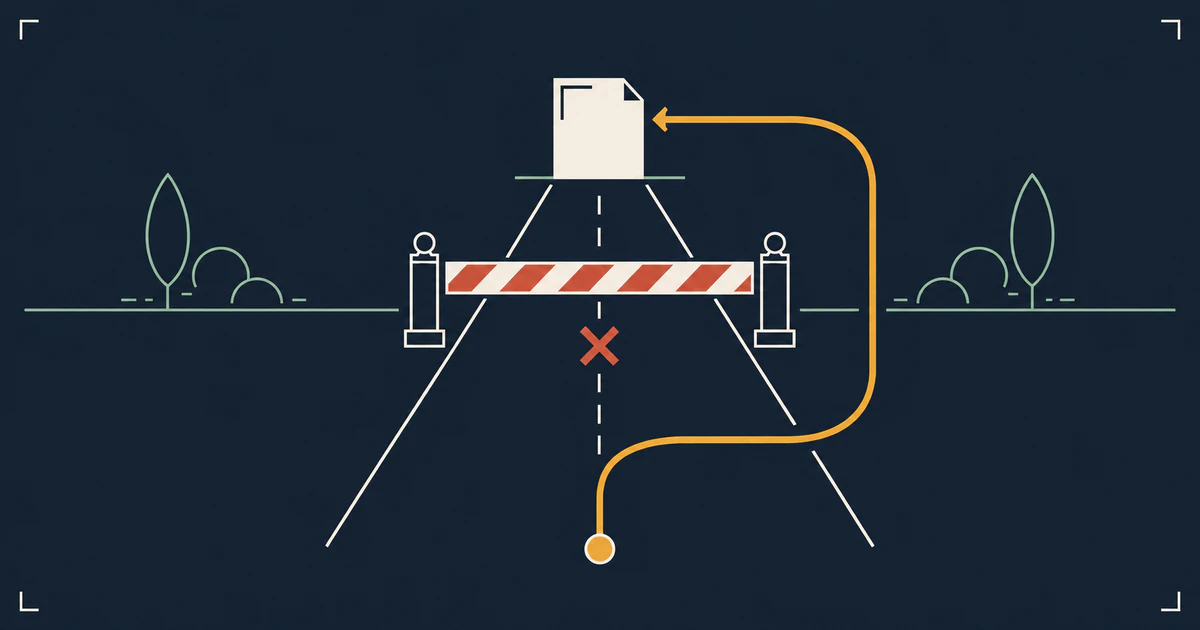
Except the belt strangles the braces. The noindex tag lives inside the page. Google can only read it by fetching the page. Your robots.txt rule stops that fetch. So Googlebot never sees the noindex, never gets the instruction to drop the URL, and the page sits in the index indefinitely.
The top-voted answer on the r/bigseo thread is one line:
Remove the robots.txt rule, keep the noindex tag.
You have to let the crawler in so it can read the note that tells it to leave. Another commenter in the same thread: "You should never use robots.txt and a noindex together because they don't play nice."
Pick one: out of the index, or out of the crawl
You cannot have both on the same URL. Decide which one you actually want.
| You want | Use | You accept |
|---|---|---|
| The page gone from search results | noindex, crawling allowed |
Googlebot keeps fetching the page |
| Googlebot to stop spending crawls there | Disallow in robots.txt |
The URL may still show up as a bare listing |
For an infinite-space section like internal search or faceted filters, the crawl budget side often wins. For a thin page you genuinely do not want anyone landing on, the index side wins. Choosing both is choosing neither.
What people actually run into
These are site owners describing their own sites in public threads, not audited case studies, but the shapes repeat.
Internal search results. One site blocked /search in robots.txt and put noindex on those pages too, then watched the "indexed, though blocked by robots.txt" count climb. The noindex was unreachable behind the block. The owner's other question is a good one: how did Google find them at all, given nobody links to a specific internal search URL?
Spam URLs under a disallowed path. Another owner found roughly 500 indexed URLs shaped like /search?q= followed by junk characters, all sitting under a path their robots.txt disallowed.
Login pages. Someone found login URLs indexed after installing an SEO plugin and asked whether it mattered. The useful reply in that thread: for login pages it usually does not, and the likely cause is that the pages were crawled and indexed first, with the robots.txt rule added afterwards.
That last point is worth holding on to. A rule you add today does nothing about a URL Google indexed last year. Blocking a path after the fact freezes the existing entries in place rather than removing them.
Google's own advocate says most of this is fine
John Mueller, a Google Search Advocate, replied in both of those threads. On the site with the spam URLs under /search:
Blocking with robots.txt should be fine & prevent the URLs from appearing in search. They'll still get seen as links, and they might get indexed, but they shouldn't be a visible issue.
On the internal search case, he made the point that blocking the search section makes sense from a crawling perspective, because a search section is easy to get bogged down in as an infinite space, and that those URLs might still get indexed.
Both of these are true at once: the report looks alarming, and the situation usually is not. A count that climbs into the hundreds looks like a leak. In practice those URLs rarely surface for any query a real person types, because there is nothing indexed to match against beyond the address itself.
Fix it when the affected URLs are ones you would be embarrassed to see in a result, or when they are eating crawl capacity you need elsewhere. Leave it when they are internal search noise.
Order of operations when you do want it gone
If the URL is already indexed and you want it out, the sequence matters, and it starts by doing the thing that feels wrong.
- Remove the
Disallowrule. Googlebot has to be able to reach the page. - Add
noindexto the page, as a meta tag or anX-Robots-Tagresponse header. - Wait for the recrawl. Google has to fetch the page to see the tag, and on low-value URLs that can take a while.
- Confirm the URL has dropped out of the index.
- Only then, if crawl budget is the reason you blocked it in the first place, put the
Disallowback.
Skip step 4 and you are back where you started, with a noindex sealed behind a wall.
Read the robots.txt you are actually serving
Before any of this, check what the file says in production. Staging rules survive launches. A CDN or a security layer can serve something other than the file in your repo. A redirect can send the request somewhere you did not intend.
The robots.txt fetcher takes any URL on a site, requests /robots.txt from that domain's root, follows redirects, and prints the raw response with a character and line count. Paste in a deep URL and it still reads the root file, because that is the only place crawlers look. If the file is missing, forbidden, or the server errors, it says which. You can copy or download what comes back.
It shows you the file. It does not evaluate whether a given URL matches your rules, so pair it with Search Console's URL Inspection when you need that answer for a specific page.
Most of the time the file is exactly what you expected. The times it is not are the ones worth an hour of your afternoon.